Sales deck: the slides to include, in order, with examples
A sales deck takes a buyer from their problem to a yes. The slides to include, in order, how long it should be, and two showcase decks to learn from.
By The Wonib team

A sales deck is the short presentation you use to take a buyer from their problem to a decision to go ahead or meet again. A dependable order is eight slides: the outcome on the cover, the buyer's problem, how it works, the main worry answered, proof, the first weeks, the price or options, and one clear next step. For a live meeting, 8 to 12 slides is a good starting point.
A common mistake is to build the deck the other way: company history first, then a slide per product feature, then the logo wall, then the ask. That is the seller's side of the table, and the buyer sits through it waiting for the slide about their own problem. This guide gives a slide-by-slide order that starts with the buyer, with a deck from Wonib's showcase as a worked example, and a second showcase deck from a different industry.
What is a sales deck?
A sales deck, or sales presentation, is the set of slides a salesperson or founder uses in a meeting with a possible customer, and often sends afterwards. Its job is narrow: help the buyer see that their problem is real, that your way of solving it fits them, and what the next step is.
It is not a pitch deck. A pitch deck is written for investors and argues that the business will grow; a sales deck is written for a buyer and argues that this purchase will work for them. If you need the investor version, our pitch deck template lists the slides investors expect.
The slides to include, in order
This is the template to copy. Slides 5 and 7 are optional for a first meeting; keep the order either way: problem before product, proof before price.
| Slide | Its job | In Fennick's deck |
|---|---|---|
| 1. The outcome | Say what changes, for whom | "Start the day on the hard tickets", for support teams |
| 2. The problem | Show the buyer's situation in their words | "Two kinds of ticket": the repeats to hand over, the hard ones to keep |
| 3. How it works | Show the steps, in the buyer's terms | Four steps, from reading your help articles to handing over the rest |
| 4. The worry, answered | Take the biggest objection head on | "Nobody asks the customer to repeat themselves", then "You stay in charge of every reply" |
| 5. Proof (optional) | Show it has worked, with what you may share | Not in this deck |
| 6. The first weeks | Make starting feel small and safe | "Start small, one group at a time", week by week |
| 7. Price or options (optional) | Make the decision concrete | Not in this deck |
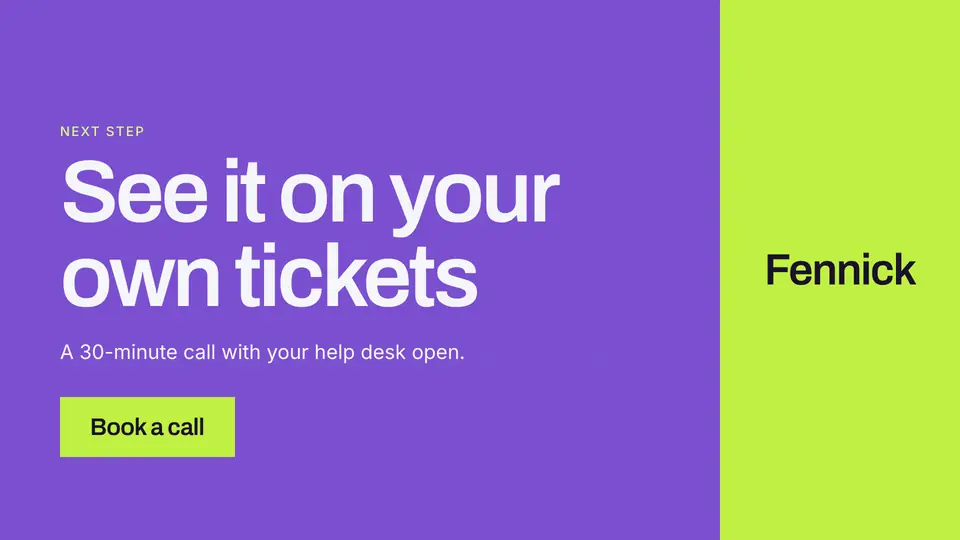
| 8. The next step | Ask for one thing | "See it on your own tickets": a 30-minute call |
Fennick's deck is a short first-meeting version: seven slides, with the worry answered over two of them and no proof or price slide yet. A longer sale adds the proof, the price, and sometimes a slide on security or compliance.

Slide 1: the outcome, not the company
Put what the buyer gets on the cover. "Start the day on the hard tickets" tells a support lead what changes for them. "Fennick: AI-powered customer service solutions" tells them what category of vendor you are, which they knew before the meeting.
Slide 2: the problem, as the buyer would say it
Describe the situation the buyer is in, in words they would use with a colleague. Use it to check you have understood them: ask if it matches their situation. If they correct it, you have learned something more useful than any slide that follows.
Slide 3: how it works
Three or four steps, each with a short headline and one line underneath. Write the steps from the buyer's side ("Read your help articles", "Answer in your help desk"), not as an architecture diagram.
Slide 4: the worry, answered
Buyers often have an objection they don't raise early. Look for the likely ones in past meetings and give the biggest one a slide. For Fennick it is "what happens when the AI can't answer?", so slide four shows the handover.
Slide 5: proof, if you have it
Use the strongest proof you are allowed to show: a named customer and what changed for them, a short case study, a pilot. If you are new and have none yet, show the work itself, a sample or a walkthrough, rather than a number you cannot back up. A buyer who catches one made-up figure stops believing the true ones.
Slide 6: the first weeks
Show what happens after the yes, week by week. It turns a big decision into a small first step, and it answers the question buyers rarely ask out loud: how much work will this be for my team?
Slide 7: price or options, when it helps
If you share price in the deck, show it as two or three clear options with what each includes. If you don't, say how pricing works and when they will see it, so the question of cost is not left open.
Slide 8: the next step
One ask, with a time and a length, and only one you really offer: a 30-minute call, a site visit, a trial on one team. Not "Questions?" on a blank slide.
Write slide titles as sentences
The most useful habit in a sales deck is to make every title a full sentence that states the point of the slide. "Nobody asks the customer to repeat themselves" says something; "Handover process" only names a topic. Read just the titles in order: if they tell the story without you in the room, the deck will survive being forwarded to the people who were not.
One deck to present, one to send
The deck you present can be sparse, because you are there to talk. The deck you send after the meeting is read alone, often by a manager or a finance lead who was never in the room. Keep the same slides and the same order, and add a line or two of plain text under each title in the version you send, or put it in the speaker notes and share the file with notes. Never send a presenter deck that only makes sense with your voice over it.
How long should a sales deck be?
For a first meeting, 8 to 12 slides is a good starting point: enough to cover the order above and leave time to talk. A leave-behind can run a little longer, with an appendix for detail: specifications, security answers, the full price list. Put detail in the appendix, not in the main story.
Sales deck examples
Fennick (above) is a software company selling to support teams. Seven slides, a clear order, and a closing ask with a length.
Greenline Homes, a real-estate developer in Pune, is a separate showcase example: a ten-slide project tour for home buyers that follows its own sequence rather than the template above. In the sample slide copy, the cover names the project and says it is complete and ready for keys. Then come the idea behind the project, the architecture, what is inside the gates, a three-bedroom floor plan with room sizes, visuals of the apartment interiors, a location map with distances, the project facts, the three home types, and a closing slide with two calls to action: book a site visit or request floor plans.

You can open both decks slide by slide in the showcase.
Sales deck templates by industry
The order holds across industries. What changes is the proof and the objection. Our templates set out the slides for a few common cases:
- B2B sales deck template, for selling to companies with several people in the decision.
- SaaS sales deck template, for software with a trial, a rollout and security questions.
- Hotel sales presentation template, for events, groups and corporate stays.
Mistakes that lose the room
- Starting with the company. The founding year and the office photos can wait for the appendix.
- A slide per feature. Group features under the problems they solve.
- Logo walls without permission. Show only customers who agreed to be shown.
- Numbers nobody can trace. Every figure should come from your own records or a named source.
- Too much text on the presented version. If you are reading the slide aloud, the buyer is reading ahead of you.
- No next step. Ending on "Thank you" wastes the moment the buyer is most engaged.
Making a sales deck in Wonib
Wonib's presentation maker builds a sales deck as a real PowerPoint file from a brief or your notes, in your brand: your own uploaded slide designs, or starter designs in your colours and font. Charts are native PowerPoint charts, drawn only from numbers stated on the slides, and every slide comes with speaker notes, which makes the version you send easier to write. The Fennick and Greenline decks above are from Wonib's showcase.
Questions people ask
What is a sales deck?
A sales deck is the short presentation used in a meeting with a possible customer, and often sent afterwards. It moves the buyer from their problem to a clear next step.
What should a sales deck include?
The outcome on the cover, the buyer's problem, how your product or service works, the main objection answered, proof, what the first weeks look like, the price or options, and one next step. Proof and price can wait for a later meeting if you have none to show yet.
How many slides should a sales deck have?
For a live meeting, about 8 to 12 is a good starting point. A version you send can be a little longer, with detail moved into an appendix.
What is the difference between a sales deck and a pitch deck?
A sales deck is for buyers and shows that a purchase will work for them. A pitch deck is for investors and shows that the business will grow.
Should I send the sales deck before the meeting?
Usually after. Send a short agenda before, present the deck in the meeting, then send the version with fuller text so it can be forwarded to people who were not there.
Should a sales deck include pricing?
Include it if pricing is simple and helps the decision, as two or three clear options. If it depends on scope, say how pricing works and when the buyer will see a number.
