Solutions · Design editor
Edit everything Wonib makes; export PowerPoint, PDF or PNG
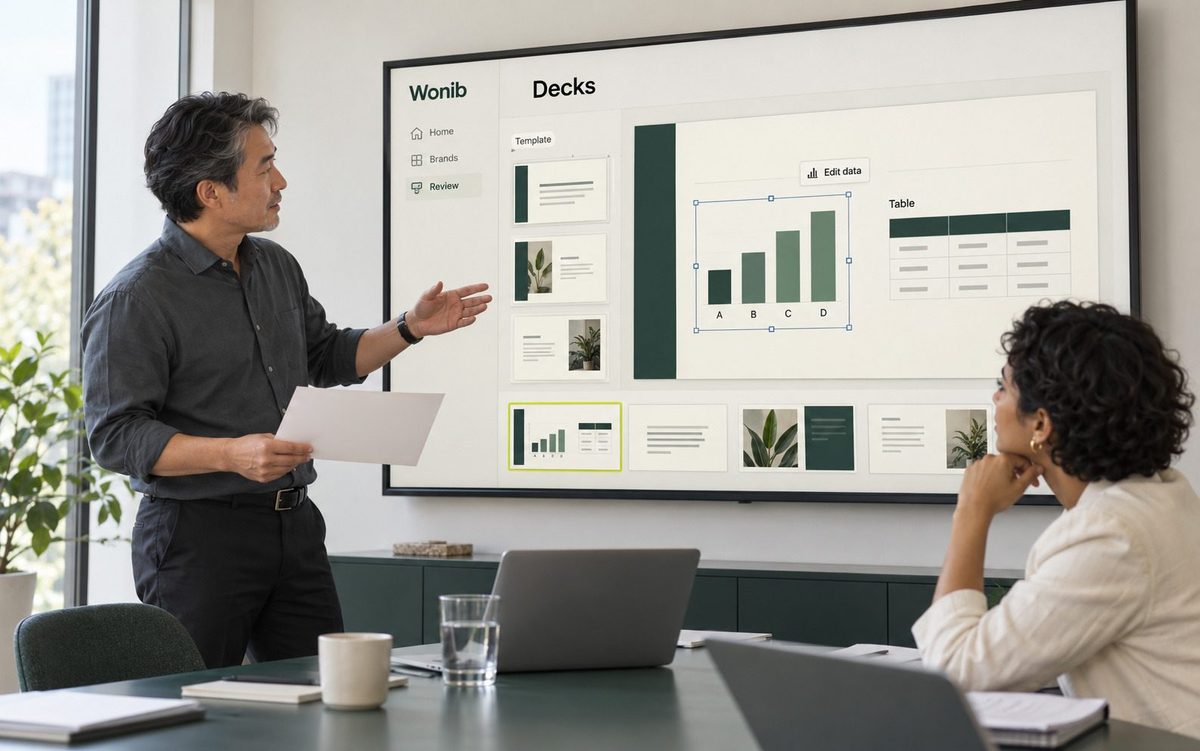
Wonib’s Design editor opens anything Wonib made, or a blank page, as separate parts you can move, resize, restyle and rewrite by hand: text, shapes, pictures and charts. It exports PNG, PDF and a PowerPoint file whose parts stay editable. It suits people who want the final touches on a design to be their own.
Design editor at a glance
| Export | PNG (a picture a page), PDF at true size, or PowerPoint with editable shapes, text boxes, pictures and native charts |
|---|---|
| Starting sizes | Nine, from 1080 × 1080 to A4 and 1920 × 1080 |
| Tools | Layers, snapping, alignment, undo, redo, autosave, and charts redrawn from their numbers |
| Limits | A deck opens up to its first 40 slides; there is no gallery of ready-made designs |
How it works
How to edit an AI-made design and export it
- 01
Open a piece or start blank
Press Edit in Design on a post, carousel, deck or document. Or start a blank page at a preset size, such as an Instagram post at 1080 × 1080, a 16:9 slide at 1920 × 1080, A4 or a business card.
- 02
Select and change parts
Click any part to move, resize or rotate it. Edit text in place, change its font, size and colour, and use snapping, alignment and distribution to keep things tidy. A layers list shows every part on the page.
- 03
Add what is missing
Add text, rectangles, ellipses, lines, a picture from your computer or a new AI picture in your brand’s style. A chart is one part with its own data: change the numbers, labels or type in the side panel and it redraws.
- 04
Ask for a change in words
Use “Ask Wonib to change” to describe an edit instead of making it by hand. Undo and redo are there if you change your mind, and the design saves itself as you work.
- 05
Export
Export PNG, one file per page; a PDF with each page at its true size; or PowerPoint, where every page becomes a slide of real shapes, text boxes, pictures and native charts that colleagues can keep editing.
What you get
- PNG export, one image per page
- PDF export with each page at its true size
- PowerPoint export with editable shapes, text boxes, pictures and native charts
- Nine starting sizes, from 1080 × 1080 to A4 and 1920 × 1080
- Charts as columns, bars, lines or pie, redrawn from their numbers
- Layers, snapping, alignment, undo, redo and autosave
- An AI picture tool that paints in the brand’s style
Good for
- Fixing one word or nudging one photo without regenerating the whole piece
- Sending a post or one-pager to a colleague as an editable PowerPoint
- Building a simple layout from a blank page in the brand’s colours
Not for
- It is a finishing editor, not a template library: there is no gallery of ready-made designs to start from
- A deck opens up to its first 40 slides, and a document opens as its words in a plain A4 layout, not as its designed pages
Compared with doing it by hand, or in a general AI chat
By hand in a design app, you rebuild or import the piece before you can change it. A general AI chat tool returns a flat picture: to change one word you usually ask again and may get a different picture. Here the piece opens as it was drawn, with every text box, shape and chart separate, so a small change stays small, and the export is a file other people can keep working on.
Questions people ask
Can I edit the text in an AI-generated image?
Not if the words are painted into the picture. That is why Wonib keeps pictures free of lettering and draws headlines as real text on top. In the Design editor each line is a text box: click it, retype it, change its font or colour, and the photo underneath is untouched.
Can I make a design from scratch, without AI?
Yes. Start a blank page at one of nine sizes, add text, shapes, lines and your own pictures, and export it. Your brand’s colours and font are there to pick. Nothing has to be generated; the AI picture tool and “Ask Wonib to change” are optional.
Do charts stay editable after export?
In the PowerPoint export, yes: a chart is written as a native PowerPoint chart with its data, so a colleague can change the figures in PowerPoint. In PNG and PDF exports the chart is part of the picture, as in any image format, so edit the numbers before exporting those.
Is the PDF export suitable for printing?
It is made for sharing and everyday printing: each page is placed at its true size as an image, with no bleed or crop marks. For a press-ready brochure, flyer or poster, use the Print option in Documents instead, which adds 3 mm bleed and crop marks to the PDF.
Can one design have several pages?
Yes. A design can hold many pages, shown as tabs you can drag into a new order. A carousel opens with one page per slide, and a deck with one page per slide up to the first 40. Exports follow the pages: one PNG each, or one multi-page PDF or PowerPoint.
Can I export to PowerPoint?
Yes, with real shapes, text boxes, pictures and native PowerPoint charts, so your team can keep editing.
Do I lose my brand when I edit?
No. Your colours and fonts are one tap away in every part.
Is it like Canva?
It is a simpler editor for finishing what Wonib makes. If you design from templates by hand all day, Canva is great; Wonib makes the work for you first.
Related
Last updated